Make Workflow Automation: A Practical Guide to Building Reliable Automations
Make workflow automation lets you create automated sequences of tasks across different applications using a visual builder. Learn how to build reliable workflows that last.
What Is Make Workflow Automation?
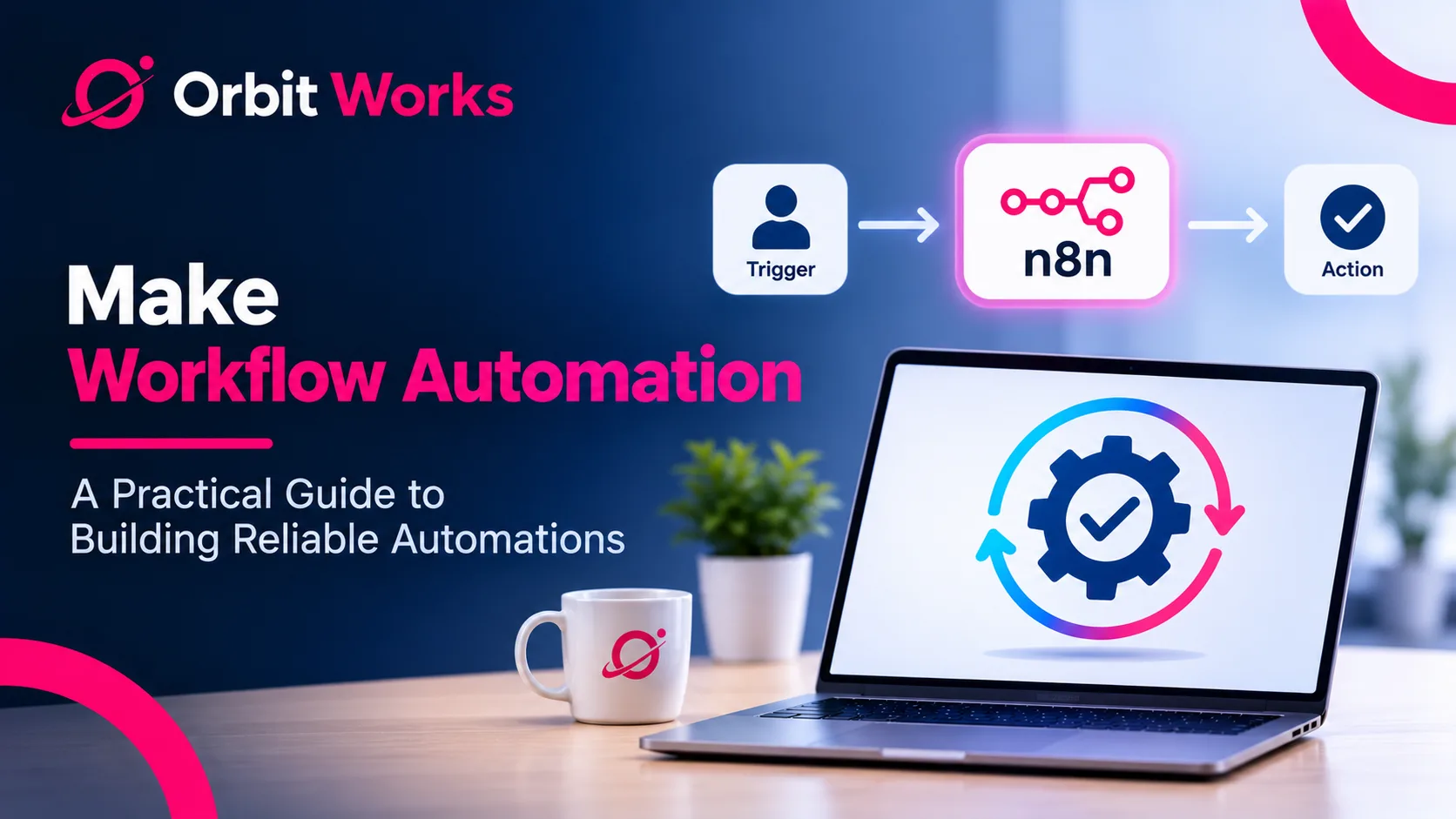
Make workflow automation is the process of using the Make platform to create automated sequences of tasks across different applications. A workflow, or scenario, is built from three kinds of blocks. A trigger module watches for a specific event, such as a new email, a form submission, or a scheduled time. Action modules perform operations in other apps, like adding a contact to a CRM, generating a document, or posting a message. And filters, routers, and error handlers control the flow of data.
Make stands out because of its visual editor. You see the entire workflow as a flowchart, with each module representing a step. This makes it easier to understand and debug compared to code-based automation. The platform also supports complex data mapping, allowing you to transform information between steps.
If you are still asking what workflow automation is, start with that definition. This guide assumes you have picked Make and want scenarios that keep running reliably.
Understanding what is digital marketing helps put this into context. Make workflow automation is not just a technical tool. It is a business process automation platform that connects your entire digital ecosystem. When you understand How Do Search Engines Actually Work, you realize that the same principles of orchestration and intelligent decision-making apply to how modern businesses operate.
If you are exploring automation platforms, it is worth understanding the Advantages of Using n8n as a comparison point. While Make excels at visual workflows for non-technical teams, n8n offers more control for technical users. Knowing What Is n8n helps you make an informed decision about which platform fits your needs. For a deeper dive, you can explore our AI automation guide and see how AI automation for small businesses can be implemented with either platform.
Key Takeaways: Make Workflow Automation
Make workflow automation uses a visual flowchart-style builder to create automated sequences across apps. Triggers start workflows, action modules perform operations, and filters and error handlers control the flow.
Make differs from Zapier in its visual interface and credit-based pricing. For complex multi-step workflows, Make can be more cost-effective. For simple two-step automations, Zapier may be simpler.
Building reliable Make workflows requires planning for errors, mapping data correctly, testing with real data, and documenting the workflow for future maintenance.
Error handling is not optional. Without error handlers, a failed module stops the entire scenario, and repeated errors can deactivate it entirely.
Maintenance debt is the hidden cost of Make workflow automation. Connected apps change their APIs, and workflows break. Documentation and version history help reduce this burden.
If you are evaluating platforms, understanding the Advantages of Using n8n and What Is n8n can help you decide whether Make or n8n is the better fit for your AI automation for small businesses needs.
How Does Make Differ from Other Automation Tools?
Make is often compared to Zapier. The main difference is the visual interface and the pricing model. Make bills in credits, one per module run in most cases, while Zapier charges per task. For complex workflows with many steps, Make can be more cost-effective because a credit costs far less than a task.
Count carefully, though. On Make, a scheduled trigger uses one credit every time it checks for new data, and a module that processes ten items uses ten credits. On the Free plan's 15-minute minimum interval, a scenario that polls around the clock spends about 2,900 credits a month on checks alone, almost three times the 1,000 credits the plan includes. Understanding this distinction is critical for budgeting your Make workflow automation.
Make also offers more advanced features like iterators, aggregators, and error handling branches. These are useful for processing multiple items or dealing with failures gracefully. If you are evaluating Staff Augmentation vs Managed Services or considering Traditional Hiring vs. Staff Augmentation, having someone on your team who understands Make workflow automation can save significant time.
AI automation companies in the USA like OrbitWorks can help you evaluate whether Make is the right platform for your needs. Their expertise in custom web development, mobile app development, and AI automation makes them a valuable partner.
For those considering n8n instead, the Advantages of Using n8n include self-hosting options, deeper AI integration, and more technical control. Understanding What Is n8n and how it compares to Make is part of making an informed decision. Our AI automation guide covers these comparisons in more detail, and we also explore AI automation for small businesses to help you choose the right path.
How to Build a Make Workflow: A Step-by-Step Method
Building a reliable Make workflow involves more than just connecting modules. Here is a method that focuses on maintainability.
Step 1: Define the Trigger and the Goal
Start with the exact event that starts the workflow. Is it a new row in a spreadsheet? A new email in a specific folder? A webhook from your website? Then, define what the workflow should accomplish. Write it down in one sentence. For example: "When a new lead fills out the form on my website, add them to my CRM and send a welcome email." This clarity is essential for effective Make workflow automation.
Step 2: Map the Data Flow
Identify all the apps involved and the data that needs to move between them. Draw a simple diagram on paper. This helps you see potential bottlenecks or missing steps before you start building. Data mapping is where most mistakes happen, so planning ahead saves time later.
Step 3: Build the Scenario in Make
Create a new scenario in Make. Add the trigger module and configure it with the correct connection. Then, add action modules one by one. For each module, map the data from previous steps using Make's mapping panel. This is where the visual builder shines. You can see exactly how data flows from one step to the next.
Step 4: Add Error Handling
Every workflow will fail at some point. An API might be down, or a data format might change. Add error handler routes to catch failures and either retry, log the error, or send a notification. This prevents silent failures that can cause data loss.
Make gives you five error handlers. Retry stores the incomplete run so it can be retried, automatically or by hand. Skip ignores the error and moves on to the next items. Resume replaces the failed module's output with a substitute value and continues. Commit stops the run and keeps the changes already made. Rollback stops the run and reverts the changes.
Without any handler, a failed module stops the run, and repeated errors deactivate the scenario. A scenario that starts with an instant trigger is deactivated at the first error. The rule I apply on my own workflows goes one step further: make silence impossible. The lead monitoring system I run for a client reads 25 industry feeds every morning and sends its report every day, even on days with zero signals, so that an empty inbox can only mean a breakdown. A dedicated alert fires when a run fails.
Step 5: Test with Real Data
Use Make's Run once feature to test with real data from your connected apps. Check the output of each module. Make sure the data is formatted correctly and the actions perform as expected. Scenario testing is not optional. It is the difference between a workflow that works and one that fails in production.
Step 6: Monitor and Iterate
After activating the scenario, monitor its execution history. Look for errors and unexpected behavior. Make adjustments as needed. Workflow monitoring is not a set-and-forget task. It requires ongoing attention. Understanding What Are SEO KPIs helps you apply the same measurement discipline to your automation performance.
Content optimization and content optimization tools follow a similar principle. You test, measure, and improve. Best AI SEO Tools work the same way. They provide data, but humans make the decisions.
For those who prefer a more technical approach, the Advantages of Using n8n include the ability to self-host and customize workflows at a deeper level. What Is n8n and how it fits into your AI automation for small businesses strategy is covered in our AI automation guide.
Make vs. Other Automation Tools: A Comparison
Let me give you a clear comparison of Make with other common automation approaches.
Make offers a visual builder with a flowchart-style interface. Pricing is per credit, one per module run in most cases. It is best for complex multi-step workflows. The learning curve is moderate.
Zapier offers a visual builder with a linear interface. Pricing is per task. It is best for simple two-step automations. The learning curve is low.
n8n offers a visual builder with a node-based interface. It is self-hosted free or cloud paid. It is best for technical users who want control. The learning curve is high. The Advantages of Using n8n include self-hosting, deeper AI integration, and more flexibility. What Is n8n and how it compares to Make is a common question for teams evaluating automation platforms.
Custom code like Python has no visual builder. Pricing is development time. It is best for highly specific needs. The learning curve is very high.
Make's visual builder is more detailed than Zapier's, which can be an advantage for complex workflows. n8n offers more flexibility but requires technical skills. Custom code gives ultimate control but is expensive to maintain. It is why I often recommend Make for non-technical teams, even though n8n is more capable on paper.
AI in digital marketing has made workflow automation more accessible. Make workflow automation can integrate with AI tools to enhance content optimization and keyword research trends analysis. When you build a topic cluster around your automation use cases, you document what works and share it across your team.
IT Staff Augmentation Demand has grown as companies recognize the value of specialized skills. IT Staff Augmentation in USA providers can connect you with Make specialists who understand your business. Digital marketing services in usa providers can help you integrate Make workflow automation into your broader marketing strategy.
If you are considering n8n, our AI automation guide covers the Advantages of Using n8n and What Is n8n in detail. For AI automation for small businesses, both Make and n8n offer viable paths, and the right choice depends on your technical resources and long-term goals.
Common Mistakes to Avoid in Make Workflow Automation
Many Make workflows fail because of avoidable mistakes. Let me walk you through the most frequent ones.
Mistake 1: Not Planning for Errors
As mentioned, errors are inevitable. If you do not add error handlers, a single failed module can stop the entire scenario, and you might not even notice. Always add at least a basic error handler that logs the error and notifies you. Error handling is the foundation of reliable Make workflow automation.
Mistake 2: Overcomplicating the Workflow
It is tempting to build a massive scenario that does everything. But complex workflows are harder to debug and maintain. Break large workflows into smaller, focused scenarios. Use webhooks or data stores to pass data between them if needed. Multi-step workflows are fine, but they need to be manageable.
Mistake 3: Ignoring Data Mapping
Data mapping is where most mistakes happen. A field might be mapped incorrectly, leading to wrong data in your apps. Always test with real data and verify the output in the target app. This is where content optimization principles apply. You verify every step before you publish.
Mistake 4: Not Documenting the Workflow
If you leave the company or someone else needs to maintain the workflow, they will struggle without documentation. Write a short description that covers what the workflow does, the apps involved, and any special configurations. Store it in a shared location. Workflow documentation is not glamorous, but it saves hours of confusion later.
Keyword Cannibalization is a content problem that good documentation helps you avoid. When you know exactly what each workflow does, you do not accidentally create duplicate automations that compete with each other.
For those exploring n8n, the Advantages of Using n8n include better error handling and more control over execution. What Is n8n and how it compares to Make is covered in our AI automation guide, along with practical tips for AI automation for small businesses.
The Hidden Cost of Make Workflow Automation: Maintenance Debt
Most articles about Make focus on how to build workflows. Few talk about the ongoing cost of maintaining them. But maintenance is where the real time sink lies.
Every connected app can change its API, rename fields, or alter its behavior. When that happens, your workflow breaks. You need to monitor for these changes and update your scenarios accordingly. If you have dozens of workflows, this can become a part-time job. This is maintenance debt, and it is the hidden cost of Make workflow automation.
One way to reduce maintenance debt is to use Make's version history, which lets you restore a saved version of a scenario for up to 60 days, and to keep a changelog for each scenario. When you update a workflow, note what changed and why. This makes it easier to troubleshoot later.
Another approach is to limit the number of apps you connect. Each additional app is a potential point of failure. Stick to the apps that are essential for your business. Workflow integration should be strategic, not exhaustive.
If you are building automations for clients or internal teams, consider the handover process. Document everything, provide training, and set expectations for ongoing maintenance. This is where a structured approach pays off.
Custom web development projects should include documentation and maintenance plans from the start. The same applies to mobile app development and Flutter for app development. Off page seo and on page strategy both benefit from clean, well-documented processes.
Internal linking strategy can also be automated with Make workflow automation. But again, maintenance is key. Links break, pages move, and content changes. You need to monitor and update.
For businesses considering n8n instead, the Advantages of Using n8n include more control over maintenance and self-hosting options. Understanding What Is n8n helps you weigh the trade-offs. Our AI automation guide and resources on AI automation for small businesses can help you decide.
Frequently Asked Questions
What is Make workflow automation?
Make workflow automation is the process of using the Make platform to create automated sequences of tasks across different applications. A workflow, or scenario, is built from trigger modules, action modules, and filters or routers. The visual editor lets you see the entire workflow as a flowchart, making it easier to understand and debug.
Is Make workflow automation suitable for small businesses?
Yes. Make workflow automation is suitable for small businesses because it offers a free plan and a visual interface that does not require coding. However, small businesses should start with simple workflows and gradually add complexity as they learn. No-code workflow automation makes it accessible to teams without technical backgrounds. For more on AI automation for small businesses, check out our AI automation guide.
How much does Make cost?
Make offers a free plan limited to 1,000 credits per month, with a 15-minute minimum interval between runs. Paid plans start with Core at $9 per month billed annually for 10,000 credits, and increase based on the number of credits. The exact pricing depends on your usage, so check Make's website for current details.
Can I use Make to automate tasks between two apps that are not directly integrated?
Yes. Make workflow automation can act as a bridge between apps that do not have native integrations. You can use webhooks, email triggers, or intermediate steps like Google Sheets to connect them. This is one of the platform's strengths.
What is the difference between a trigger and an action in Make?
A trigger is the event that starts the workflow, such as a new row in a spreadsheet. An action is an operation performed by the workflow, such as sending an email or creating a record in another app. Make workflows combine triggers and actions to automate business processes.
Do I need technical skills to use Make?
Basic computer skills are enough to get started with Make workflow automation. The visual builder is intuitive, but understanding data mapping and logic may require some learning. For complex workflows, some technical knowledge helps. If you need expert help, AI automation company usa providers like OrbitWorks can assist.
What is the difference between Make and Zapier?
Make uses a visual flowchart-style builder and bills in credits per module run. Zapier uses a linear interface and bills per task. For complex multi-step workflows, Make can be more cost-effective. For simple two-step automations, Zapier may be simpler to set up. Make vs Zapier is a common comparison, and the right choice depends on your needs.
What is the difference between Make and n8n?
Make is designed for non-technical teams with a visual builder that is easy to learn. n8n is more technical, offers self-hosting options, and gives you more control. Make vs n8n comes down to your team's technical expertise and your need for control. Many businesses start with Make and move to n8n as they scale. The Advantages of Using n8n include self-hosting, deeper AI integration, and more flexibility. What Is n8n and how it compares to Make is covered in our AI automation guide.
How do I handle errors in Make workflows?
Make gives you five error handlers: Retry, Skip, Resume, Commit, and Rollback. You should add at least a basic error handler that logs the error and notifies you. Error handling is essential for reliable Make workflow automation.
How do I monitor workflow automation?
Monitor the execution history in Make to look for errors and unexpected behavior. Make adjustments as needed. Workflow monitoring is not a set-and-forget task. It requires ongoing attention. Understanding What Are SEO KPIs helps you apply the same measurement discipline to your automation performance.
What are the advantages of using n8n compared to Make?
The Advantages of Using n8n include self-hosting options, deeper AI integration, more technical control, and the ability to customize workflows at a deeper level. What Is n8n and how it compares to Make is a common question. For a full comparison, check out our AI automation guide. For AI automation for small businesses, both platforms offer viable paths, and the right choice depends on your technical resources and long-term goals.
Conclusion
Make workflow automation is a powerful way to connect your apps and automate business processes. The visual builder makes it accessible to non-technical teams. The credit-based pricing makes it cost-effective for complex workflows. And the error handling features make it reliable when set up correctly.
But Make workflow automation is not a set-and-forget task. It requires planning, testing, monitoring, and maintenance. The businesses that succeed with Make workflow automation are the ones that treat it as an ongoing process, not a one-time project.
When you build a topic cluster around your automation use cases, you create a knowledge base that helps your team learn and improve. Staying current with keyword research trends ensures your content strategy aligns with what your audience actually needs. Best AI SEO Tools can help you optimize your content. CRM automation can help you manage leads. Custom web development and mobile app development can integrate with your workflows.
AI automation companies in the USA like OrbitWorks are ready to help you build reliable Make workflow automation that actually works. Their expertise in AI automation, custom web development, and mobile app development makes them a valuable partner for businesses serious about digital transformation.
If you are still exploring platforms, our AI automation guide covers the Advantages of Using n8n and What Is n8n in detail. We also provide practical resources for AI automation for small businesses, helping you choose the right path for your team.
The future belongs to businesses that embrace automation. The question is not whether you will adopt Make workflow automation. It is whether you will do it before your competitors do.
Your Next Step
Ready to build reliable Make workflow automation? Start with one workflow. Define the trigger and the goal. Map the data flow. Build the scenario. Add error handling. Test with real data. Monitor and iterate.
If you need expert help, contact our team today for a free consultation. We will assess your workflow, identify automation opportunities, and provide a realistic roadmap. No pressure. Just honest advice from experienced professionals.
Get Your Free Make Automation Assessment – Let's build a smarter, more efficient business together
Explore Our Services – Discover how we can help you implement Make workflow automation
Your business deserves automation that works. Let's build it together.