7 Best SEO Content Optimization Tools
You've created great content, but ranking is another challenge. Discover the 7 best SEO content optimization tools that turn good articles into high-ranking pages.
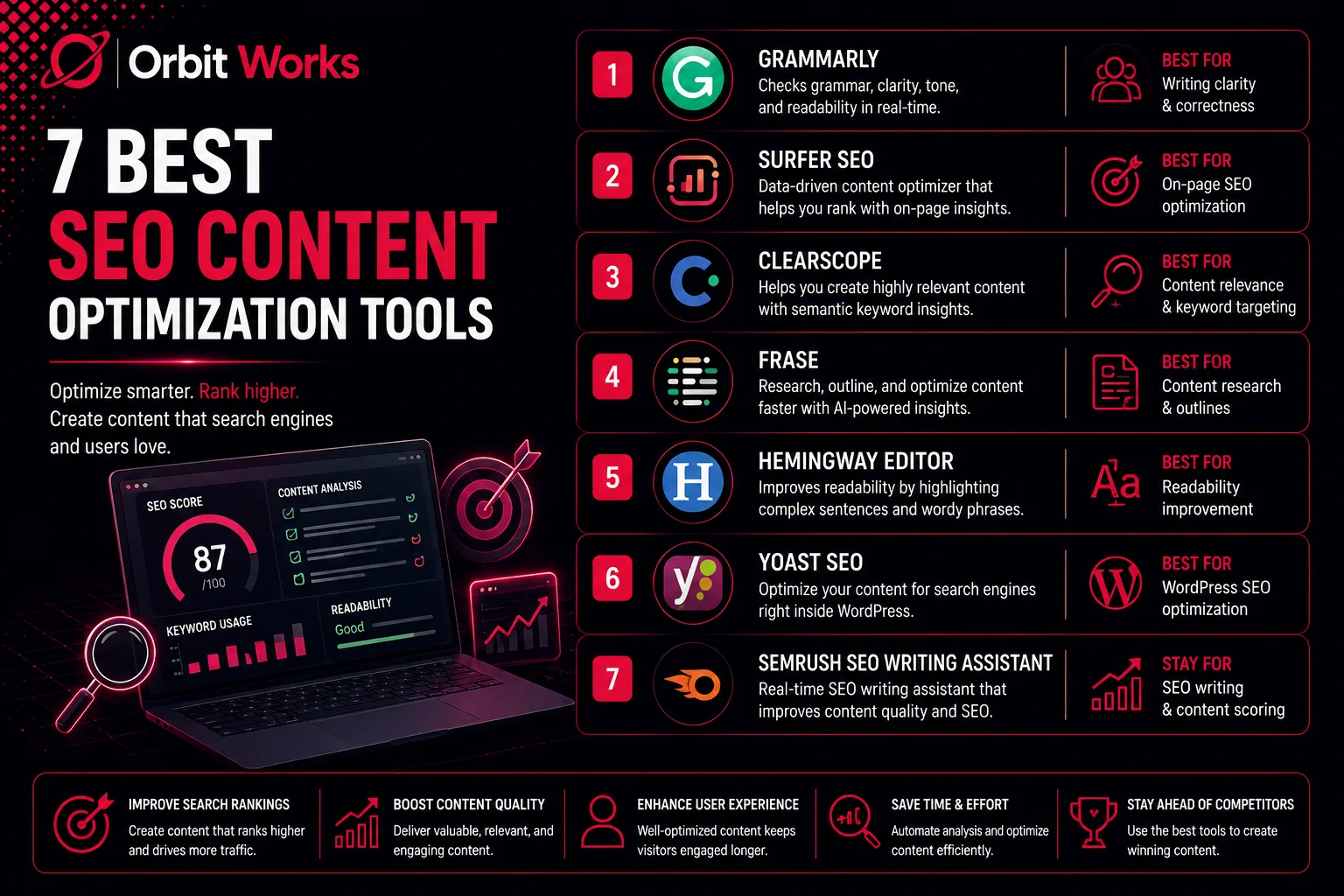
You have already completed the most difficult part. You created a detailed and engaging article that delivers real value to your readers. However, the reality is different. Even a great article does not always appear on the first page of Google.
There is often a big gap between writing content and actually ranking it. In addition, frequent algorithm updates can make the process even more challenging. Understanding how do search engines actually work helps you appreciate why optimization matters so much. Search engines evaluate hundreds of signals, and content optimization tools help you address them systematically.
This is where SEO content optimization tools become important. These tools help turn well-written content into powerful assets for search engines.
In this guide, you will learn a clear workflow for optimizing your content. Moreover, you will discover some of the best content optimization tools available today. We will also explore their strengths, what makes them different, and how they can work together to help you produce content that ranks higher.
What Are Content Optimization Tools?
SEO content optimization tools follow a simple two-step approach.
First, they examine the top-ranking pages for a specific keyword. Then, they provide practical suggestions to improve your content.
In many ways, these tools act like an SEO editor. They guide you in making your content more complete, relevant, and authoritative compared to the pages already ranking on Google.
For example, they can suggest related keywords and topics to include in your article. They may also recommend the ideal word count and reading level. In addition, these tools highlight questions from the "People Also Ask" section that your content should answer.
Furthermore, they suggest where to add internal and external links. The ultimate goal is simple. They provide a clear and data-driven roadmap for creating content that satisfies both users and search engines. When you understand what is digital marketing, you realize that content optimization is a core pillar of any successful online strategy.
Before You Start Optimizing, Find Keywords You Can Actually Win
Before optimizing any content, you must focus on the most important step. That step is keyword research.
Many people begin writing without a clear keyword strategy. I have seen numerous clients create articles without proper research or planning. As a result, they spend hours, or sometimes even days, producing content that never had a realistic chance of ranking.
Therefore, optimization should never be the first step. Instead, start by identifying the right keywords. Staying on top of keyword research trends ensures you target terms that genuinely match user intent and offer realistic ranking opportunities.
The Criteria I Used to Make This List
After more than six years in digital marketing, I have worked with many SEO tools. Based on that experience, I used several important criteria while selecting the content optimization tools included in this list.
First, effectiveness and accuracy were essential. The selected tools provide reliable insights that genuinely help content rank. They analyze more than simple keyword usage. Instead, they evaluate semantic relevance, search intent, and competitive gaps.
Next, user-friendliness was important. The tools needed to be easy to use and suitable for real content workflows. This is particularly helpful for beginners who may feel overwhelmed by complex SEO data. A good tool should feel supportive rather than confusing.
Another factor was comprehensive features. The best platforms offer more than one function. They provide features such as live content editors, automated briefs, competitor analysis, and even AI assistance. This ensures value during every stage of the content creation process. The rise of AI in digital marketing has made these tools more powerful than ever before.
Strategic value also played a key role. A great tool should not only provide instructions but also explain the reasoning behind them. The tools listed here help build topical authority and support long-term content strategies that contribute to business growth. Organizing your content around a topic cluster model becomes much easier with these insights.
Finally, pricing and accessibility were considered. The list includes tools suitable for different budgets. Whether you are an individual creator or part of a larger content team, there are options that can fit your needs.
Best Content Optimization Tools for Ranking Higher in SERPs
Over the years, I have tested many SEO tools while working in digital marketing. Among them, the following tools stand out as some of the most effective for content optimization.
1. SEOBoost
SEOBoost is a powerful all-in-one content optimization platform. It supports every stage of the content creation process, from topic research through final on-page SEO checks.
Personally, I begin most new content ideas with the Topic Report feature. This feature helps me quickly understand which types of content perform well in search results.
After entering a seed keyword, the tool analyzes the top thirty search results. It then generates a complete content brief. This brief becomes a blueprint for your article. It includes recommendations on word count, readability level, key phrases to use, and suggested outbound links.
Additionally, the platform is very helpful for improving on-page SEO. The Content Optimization feature evaluates existing articles and suggests related keywords. It also recommends the ideal number of images for better engagement.
Another useful feature is the real-time SEO score. This score updates continuously while you write. As a result, you can immediately see how your optimization efforts are improving the article.
Key Features
- Topic Reports – This feature analyzes top-performing competitors for your target keyword. It provides a deeper understanding of the content types that perform best in search engine results.
- Content Briefs – SEOBoost automatically creates strategic content briefs by examining the top organic results for your chosen keyword.
- Content Audits – This feature evaluates your existing articles and identifies keyword gaps. It also highlights missing topics that could strengthen your website's authority.
- Content Management – SEOBoost also includes a centralized hub for planning and collaboration. It offers a content calendar, workflow tools, and team collaboration features that simplify content management.
2. Surfer
Sometimes the interface of SEO tools feels crowded. Because of this, I often prefer to write in Google Docs first and then move the content into an optimization tool later. Many tools display too many SEO suggestions, which can interrupt the writing flow.
However, my experience with Surfer is different. I actually enjoy writing directly inside this platform. The interface is simple and clean. It feels comfortable to work with, and the SEO suggestions do not overwhelm the screen.
Surfer is a content optimization platform. It helps users plan, write, and analyze content using data-based insights. As a result, writers can create better-performing content without guessing what to include.
When using the Content Editor, I usually monitor the score while writing. This score naturally guides me to add important phrases and topics. Because of this guidance, the writing process becomes clearer and more structured. It also helps reduce writer's block since the platform already provides a direction.
Key Features
- Content Editor – This is the main feature of Surfer. It shows a live SEO score based on competitor analysis. The editor also suggests relevant keywords, the ideal word count, and recommendations for headings and images.
- Content Audit – This feature evaluates existing content. It connects with Google Search Console data and highlights practical suggestions for improvement.
- Content Planner – It helps discover new topics and content clusters. This makes it easier to build a strong and organized content strategy.
- Surfer AI – This AI-powered feature can generate article outlines or even full articles using Surfer's data insights.
Best for: All-in-one content workflow with a live optimization editor.
Pricing: Starts at $79 per month.
3. Frase
Frase is an AI-driven content optimization platform. It helps with research, writing, and optimization more quickly and efficiently. The tool is widely recognized for creating detailed content briefs and supporting the writing process.
I usually use Frase when I need a quick content brief or a fast draft. Instead of starting from scratch, the AI workflow speeds up the entire process. You simply enter a focus keyword, and the tool scans the SERP to generate a complete brief.
After that, it provides suggested headings, relevant topics, and important questions related to the keyword. This makes the research phase much easier. In addition, the interface is clean and simple. Therefore, following the recommendations becomes effortless.
Key Features
- Content Brief Builder – This feature automatically creates a detailed content brief. It analyzes top-ranking pages and extracts useful insights for your content.
- AI Writing Assistant – A powerful writing tool that helps generate drafts, expand ideas, or create new sections quickly.
- Content Score – Provides a real-time score while writing. This score shows how well your content covers the topic compared to competitors.
- Topic Research – Helps identify related topics and common questions. As a result, your content becomes more complete and informative.
Best for: AI-powered content briefs and fast content creation.
Pricing: Starts at $49.50 per month.
4. Clearscope
Clearscope is another powerful content optimization platform. It uses artificial intelligence and natural language processing (NLP) to improve content quality. One of its most recognized features is the Content Grade. This grading system evaluates how well your content covers a topic compared to existing ranking pages.
In my workflow, I prefer using Clearscope when writing long-form content. The tool highlights semantically related terms that strengthen topic coverage. As a result, the article becomes more comprehensive and informative.
It also improves search visibility. Since the platform recommends multiple related terms, you can target several keywords in a single piece of content. As a result, the content performs better in search results.
I often use Clearscope as a final SEO check before publishing. The grading system is simple and clear. Moreover, the keyword usage suggestions are extremely helpful for improving the final score.
Key Features
- Content Grade – Displays a live letter grade while writing. This grade reflects how relevant and comprehensive your content is compared to competitors.
- Content Editor – A clean editor that offers feedback on topic coverage, readability, and recommended word count.
- Semantic Term Recommendations – Provides a list of related keywords and topics. These suggestions help create authoritative content without forcing keyword stuffing.
- Integrations – Integrates smoothly with Google Docs and WordPress. This allows you to work within your preferred writing environment.
Best for: Creating detailed and high-quality content with a strong focus on semantic SEO.
Pricing: Starts at $189 per month.
5. MarketMuse
MarketMuse is an AI-driven content strategy platform that supports research, planning, and content optimization. It mainly focuses on building strong topical authority. In addition, it reviews your entire content library to identify missing topics and new opportunities.
I usually rely on this tool when a client needs a long-term content plan rather than a single article outline. Therefore, it becomes helpful for developing a structured content roadmap.
Its main function is to evaluate your entire website. Then, it compares your content with top-ranking pages in your niche. As a result, the tool reveals the topics where your website already has authority. At the same time, it highlights areas where competitors are weaker and where your website needs more content.
Another useful feature is the personalized difficulty score. Unlike standard keyword difficulty metrics, this score evaluates how difficult it would be for your specific website to rank for a topic.
Key Features
- Content Audits – MarketMuse reviews your entire website content. As a result, it identifies gaps in topical coverage and shows where improvements are needed.
- Content Briefs – The platform generates detailed content briefs. These briefs include structural outlines, suggested headings, internal link ideas, and relevant user questions.
- Personalized Scoring – The tool provides a customized difficulty score. This score estimates how challenging it would be for your website to rank for a specific keyword.
- Topic Gap Analysis – MarketMuse compares your content with competitors. Consequently, it uncovers missed topics and helps you build stronger authority in your niche.
Best for: Enterprise-level content strategy and content audits.
Pricing: Free plan available. Paid plans require direct pricing from MarketMuse.
6. GrowthBar
GrowthBar is an AI-powered SEO tool designed for marketers and bloggers who want to create optimized content faster. It is widely recognized for its simple interface and strong AI capabilities.
In my workflow, I often use GrowthBar when I need to develop a content idea quickly. Moreover, its Chrome extension saves significant time. It provides keyword insights and a content outline directly from the Google search page.
For example, when starting a new blog post, I first generate an AI-based outline. This outline offers a clear structure and strong starting point. After that, I use the content editor to write and optimize the article while following its SEO recommendations.
Key Features
- AI Content Outline Generator – GrowthBar automatically creates a detailed blog outline within minutes. It analyzes top-ranking pages for the selected keyword.
- AI Blog Post Generator – The AI blog generator can produce a fully SEO-optimized article from a simple prompt.
- Keyword Research Tool – The platform includes a keyword database. It provides metrics such as search volume, keyword difficulty, and competitor insights.
- Chrome Extension – Its browser extension delivers instant SEO data directly on Google search pages. This includes keyword suggestions and competitor analysis.
Best for: Quick content optimization for bloggers and small businesses.
Pricing: Starts at $36 per month.
7. All-in-One SEO
My final recommendation is specifically for WordPress users.
All in One SEO (AIOSEO) is a powerful WordPress plugin that works as a complete SEO toolkit. It goes far beyond basic on-page SEO features. In addition, it includes technical SEO fixes and outbound linking suggestions. Together, these features help your content rank higher and load faster.
I have been using this plugin for the last two years. During this time, I have noticed how frequently new features are released. The development team clearly listens to user feedback and continuously improves the product. Furthermore, their support team is considered one of the strongest in the SEO industry.
For content optimization, the TruSEO On-Page Analysis tool provides real-time feedback. It also includes a Focus Keyphrase Checklist that alerts you if the focus keyword is missing from important sections.
Key Features
- TruSEO Score Analysis – This feature provides a live on-page analysis while you write. It gives a real-time score and actionable recommendations based on more than 70 SEO factors.
- AI Content Generator – The built-in AI tool can create optimized titles, meta descriptions, FAQs, and key points. As a result, your content becomes more competitive in search results.
- Link Assistant – This internal linking strategy tool scans your website content. It identifies opportunities for linking and suggests relevant internal links to strengthen the site structure. A strong internal linking strategy keeps visitors engaged and reduces bounce rate.
- WordPress Schema Generator – AIOSEO makes it easy to add schema markup. You can implement FAQ, product, or recipe schema without writing code. Consequently, your pages can appear with rich snippets in search results.
Best for: WordPress users who want an integrated content optimization plugin.
Pricing: Starts at $49.60 per month.
Putting It All Together: A Winning Content Optimization Workflow
Once you understand these tools, the next step is to combine them into a practical workflow. A structured process helps you produce content that ranks consistently.
Step 1 (Research)
Start with keyword research. Use LowFruits to find a keyword with a low SD score and several Weak Spots. This approach ensures you target keywords with realistic ranking opportunities. Staying current with keyword research trends helps you identify emerging opportunities before your competitors do.
Step 2 (Plan)
Next, build a content brief. Tools like SEOBoost or Surfer can generate a detailed outline based on the selected keyword. As a result, you receive topic suggestions, related keywords, and recommended word counts. Organizing your content as a topic cluster from the planning stage ensures comprehensive coverage and strong internal connections.
Step 3 (Create)
Now begin writing your content. Use the editor inside optimization tools such as Frase or Clearscope. The live optimization score helps ensure your article covers all critical points. Understanding How Do Search Engines Actually Work helps you appreciate why each optimization suggestion matters.
Step 4 (Publish and Check)
Finally, publish the content on your website. WordPress users can run a final check with All in One SEO to verify titles, meta descriptions, and schema markup. Non-WordPress users can review their content through SEOBoost for final optimization. A well-optimized page naturally reduces bounce rate by keeping visitors engaged and encouraging them to explore further.
Final Thoughts
Effective content optimization depends on more than a single tool. Instead, it requires a structured and strategic workflow.
However, even the best optimization tools cannot succeed without the right keyword strategy. Choosing the wrong keywords can make ranking almost impossible. This is where understanding what is digital marketing becomes crucial, it's about connecting your content strategy with real user needs.
By beginning your process with LowFruits to find high-opportunity keywords, you significantly improve your chances of ranking. Consequently, the effort spent on content creation and optimization produces better results.
With this strategy, content creators stop targeting unrealistic keywords. Instead, they focus on opportunities that lead to consistent search rankings and sustainable organic traffic. The integration of AI in digital marketing has made these tools more accessible and powerful than ever.
If managing this entire workflow feels overwhelming, professional SEO services in USA can provide the expertise and guidance you need. Experienced providers of digital marketing services in usa understand how to leverage these tools effectively for maximum results.
Frequently Asked Questions
1. What is a content optimization tool?
A content optimization tool is a software platform that analyzes top-ranking pages for a specific keyword. This analysis provides data-driven recommendations to help create content that can rank and attract organic traffic. These tools have become essential in modern AI in digital marketing strategies.
2. What are the best SEO tools for content optimization?
Some popular SEO content optimization tools include Surfer SEO, Frase, Clearscope, SEOBoost, and plugins such as All in One SEO. The best choice depends on your workflow, budget, and content strategy. Many professionals also use these tools to improve their internal linking strategy.
3. How do content optimization tools help with SEO?
These tools provide recommendations on content structure, topic coverage, and keyword usage. As a result, they improve the relevance and authority of your content in search engines. Understanding How Do Search Engines Actually Work helps you see why these recommendations are valuable.
4. How do I choose the best content optimization tool?
Start by evaluating your requirements and budget. If you need a simple solution, GrowthBar or AIOSEO can be a good option. However, for a complete content workflow, tools such as Surfer or SEOBoost offer more advanced capabilities. Consider how each tool fits into your overall topic cluster strategy.
5. Can content optimization tools help reduce bounce rate?
Yes. By ensuring your content matches user intent and covers topics comprehensively, these tools help keep visitors engaged. Lower bounce rate often follows when content is well-optimized and relevant to what users are searching for.
6. How do I stay updated with keyword research trends?
Following keyword research trends involves regularly analyzing search data, monitoring competitor movements, and using tools that provide fresh insights. Platforms like LowFruits and the tools mentioned in this guide help you stay ahead of emerging opportunities.
7. Are these tools suitable for beginners?
Absolutely. Tools like GrowthBar and AIOSEO are designed with user-friendly interfaces that make optimization accessible for beginners. The key is starting with one tool and gradually expanding your workflow as you become more comfortable.
8. Should I hire professionals for content optimization?
If you're managing a large website or multiple content projects, partnering with SEO services in the USA or digital marketing services in the USA can provide strategic expertise and save significant time. Professionals can help you implement the right tools and workflows for sustainable growth.